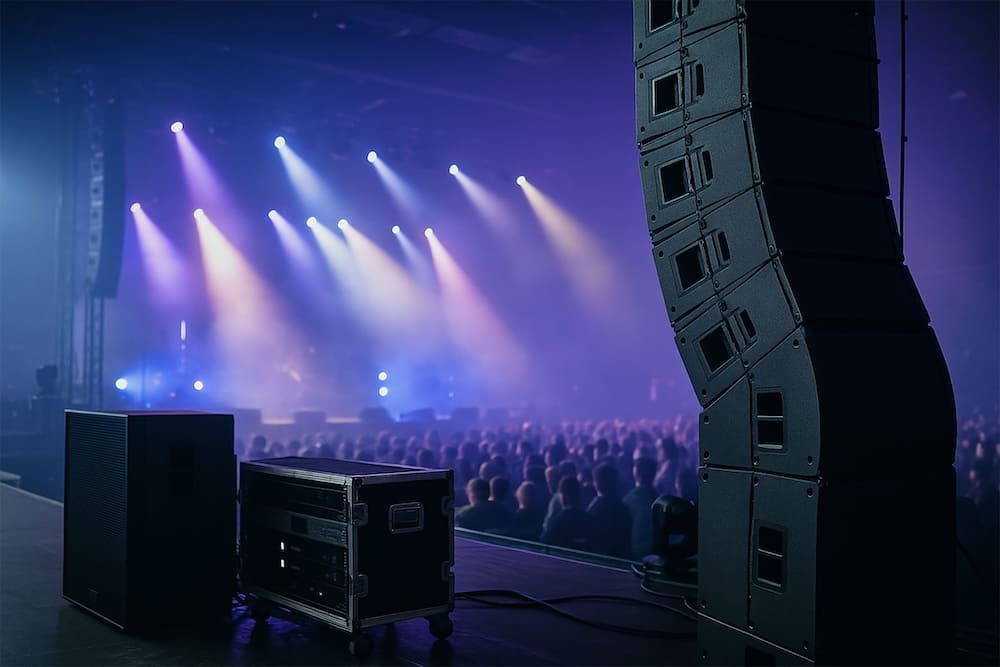

The CEO steps up to the microphone. The first three rows catch every word. Row twelve hears a muffled hum, and phones start coming out.
One weak audio moment can undo months of planning. Guests tune out, presenters lose momentum, and the message never lands.
The fix is rarely more volume. It is the right number of speakers, placed in the right spots.
Quick answer: A meeting of up to 50 guests usually needs two speakers. Events with 150 to 300 guests often need two main speakers plus fill speakers. Larger rooms add delay speakers so every seat gets even sound.
Why Speaker Count Is Not Just a Headcount Question
Guest count is a starting point, not the full answer. Two rooms with 200 guests can need very different setups.
Sound designers weigh these factors first:
- Room size and ceiling height: Taller, wider rooms need more coverage points.
- Room shape and layout: Long, narrow rooms and rooms with pillars or balconies create dead spots.
- Surfaces: Glass, stone, and bare walls bounce sound around and blur speech. Soft furnishings and full seating absorb it.
- Content type: Spoken keynotes need clarity. Live music and video playback need more low-end power.
- Audience placement: Standing receptions, banquet rounds, and theater rows spread people differently.
The goal is even coverage. Every guest should hear the same clear sound, from the front table to the back wall.
Corporate Event Speaker Sizing Guide
Use this table as a starting point. Every venue differs, so treat these as general guidelines, not fixed rules.
| Guest count | Typical setting | Suggested speaker setup |
|---|---|---|
| Up to 50 | Boardrooms, small meetings | Two compact speakers on stands or walls |
| 50–150 | Breakouts, dinners, town halls | Two full-range speakers, optional subwoofer |
| 150–300 | Ballrooms, product launches | Two main speakers, optional subwoofers, plus fill speakers |
| 300–600 | Conferences, galas | Left and right main arrays, front fills, delay speakers |
| 600+ | Large general sessions | Line array system, delay zones, dedicated audio engineer |
More guests do not always mean more boxes. Better placement often beats a bigger rig.
What Each Speaker Type Does
Knowing these roles helps you read any production quote. Teams that deliver corporate event audio visual services plan speakers alongside screens and lighting, so no element blocks another.
- Main speakers: These carry the core sound to most of the room.
- Front fill speakers: Small speakers at the stage edge cover the first rows.
- Delay speakers: These sit partway back and are timed to match the mains, so far seats hear clear speech.
- Subwoofers: These handle low frequencies for music, walk-in tracks, and video soundtracks.
- Stage monitors: These let presenters and performers hear themselves.
Speech vs. Music: Different Jobs, Different Setups
A keynote needs clarity above all. Spoken words need clear mid-range sound, so fewer, well-placed speakers often work well.
Music and awards-night playback need more low-end power. Plan subwoofers and more headroom for those moments.
Hybrid events add one more task. Remote viewers need clean audio too, so plan the feed to your livestream early.
Keep Volume Safe for Guests and Crew
Loud is not the same as clear. Extra volume can fatigue guests and hurt hearing over long days.
Clear sound beats loud sound. Even coverage lets you run speakers at a comfortable level, so guests can hear speech without strain.
Work with your audio team to set target levels for each part of the show. Speech, music, and video each need their own levels.
How to Size Your Speakers in 5 Steps
- Confirm headcount and layout. Share the guest count, seating style, and floor plan.
- Define the content. List speeches, panels, music, video, and livestream needs.
- Visit the venue. Check ceiling height, wall surfaces, balconies, and rigging limits.
- Map coverage zones. Decide where mains, fills, and delays will sit.
- Run a full sound check. Test every microphone and seat zone before doors open.
Sample Setups for Common Corporate Events
Town Hall for 120 Guests
Two full-range speakers on stands, a presenter monitor, and wireless microphones usually cover this setup well. Add a subwoofer if video clips play.
Gala Dinner for 400 Guests
Left and right main arrays, front fills, and delay speakers keep speeches clear over dinner chatter. Subwoofers support music and video.
Product Launch With Video
Plan speakers around the LED screen, since the soundtrack must match the visuals. Subwoofers add impact to reveal moments.
Common Speaker Mistakes to Avoid
- Relying on the venue's built-in system for a large event.
- Pointing speakers at hard walls, which adds echo.
- Skipping delay speakers in long rooms.
- Setting levels in an empty room, then forgetting that guests absorb sound.
- Treating sound check as optional.
Questions to Ask Before You Book
- How will you cover the back rows?
- Do you plan delay speakers for my room?
- What is the backup if a microphone or speaker fails?
- Who runs the sound during the show?
- How do you handle livestream audio?
Let the Right Team Size Your Sound
At ProSho, we have designed sound for corporate events, conferences, galas, and product launches since 1984. Our team builds every speaker layout around your room, your guests, and your program. We also handle lighting, LED screens, staging, and show calling, so one crew runs your whole production. We serve NYC, New Jersey, Long Island, and Florida.
Ready to size the sound for your next event? Call us at 718-227-2116 or email info@prosho.com, and tell us about your event.
Frequently Asked Questions
What is the difference between main speakers and delay speakers?
Main speakers carry sound from the stage to most of the room. Delay speakers sit farther back and are timed to match the mains, so rear seats hear clear speech without extra volume.
Do I need subwoofers for a corporate event?
Not for speech-only events. Subwoofers add low-frequency power, so they help with music, walk-in tracks, and video soundtracks. If your program includes a band, awards music, or a product reveal, plan to include them.
How loud should speakers be at a corporate event?
Aim for clear speech, not maximum volume. Loud sound tires guests and can hurt hearing over long days. Set levels with your audio team, and recheck them as guests fill the room.
Can I use the venue's built-in speakers?
Built-in systems often suit background music or small meetings. They may lack coverage, power, and mixing control for keynotes, music, or large rooms. Ask the venue for specs, then compare them against your program before you decide.
What factors change how many speakers an event needs?
Room size, ceiling height, layout, and surfaces matter most. Hard walls add echo, while full seating absorbs sound. The program also counts, since keynotes, live music, and video each need different coverage and low-end power.